Documentation
Usage
Mr. RIGANTI can:
- Make code reviews in pull requests assigned to him.
- Work on issues (work items) assigned to him - for example, implement a feature described in the issue, or fix a bug.
- Respond to mentions in comments - for example, if somebody mentions Mr. RIGANTI in a comment and asks him to do something, he will run a pipeline and try to do it.
Code Review of Pull Requests
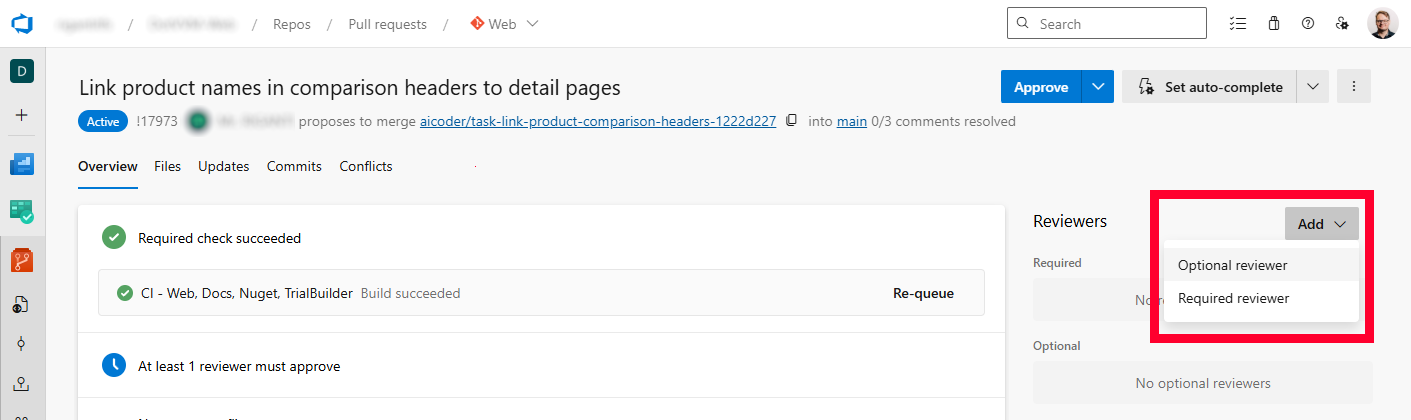
You can assign Mr. RIGANTI as a reviewer to a pull request. He will immediately start a pipeline and look at changes made in the PR.
We recommend to assign him as Optional reviewer. This way, he will not be able to block merging of the pull request.
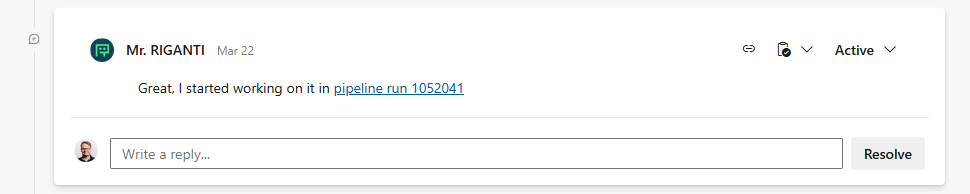
To let you know that Mr. RIGANTI started working, he will post a comment with a link to the pipeline in which he runs. Feel free to look at the detailed logs to oversee his actions.
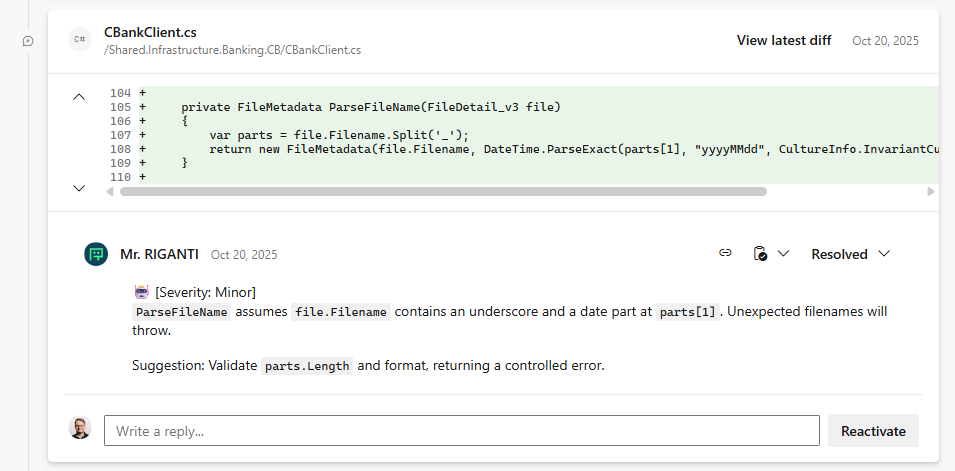
After a couple of minutes, you will start seing his comments in the pull request. He will comment on the code quality, suggest improvements, and also point out any potential bugs he finds.
The code review is finished with a verdict comment, in which Mr. RIGANTI summarizes his findings and gives an overall assessment of the pull request.
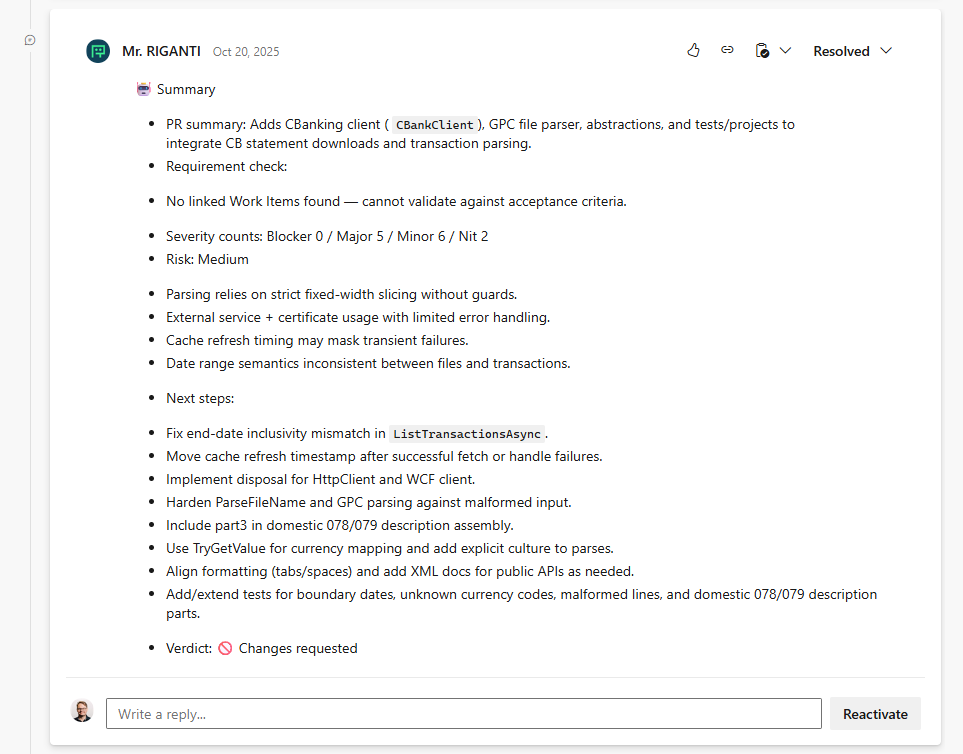
Currently, Mr. RIGANTI doesn't set code review verdict to "Approve" or "Request Changes". This is to avoid any potential issues with blocking pull requests. This feature is coming soon.
If the pull request receives new commits and Mr. RIGANTI is still assigned as a reviewer, he will trigger another pipeline to review the new changes in the pull request.
If this becomes overly verbose, we recommend to remove Mr. RIGANTI from the list of reviewers after his first review, and then assign him again when you want him to review the new changes.
Assigning Issues (Work Items)
When you need Mr. RIGANTI to implement a feature or fix a bug described in an issue (work item), assign the issue to him and move it to the Active state (also named as Doing or Approved based on the project's process template). He will open a new pull request, start a pipeline, implement the solution, and then commit and push the changes to the repository.
By default, Mr. RIGANTI watches only Requirement, Task, and Bug work item types. You can change this in the project settings.
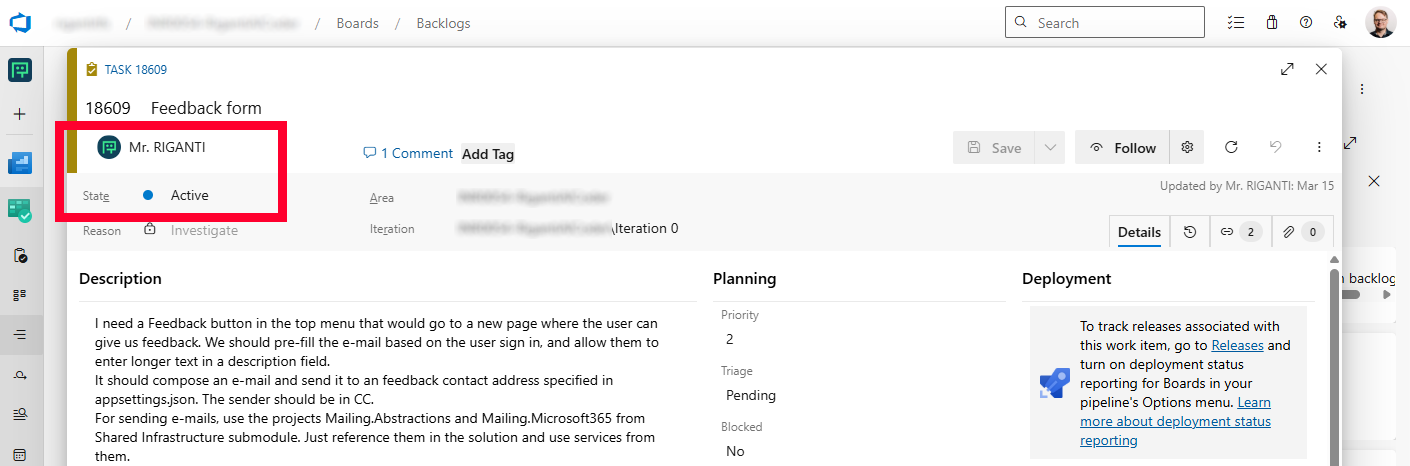
To let you know that Mr. RIGANTI started working, he will post a comment with a link to the pipeline in which he runs. Feel free to look at the detailed logs to oversee his actions.

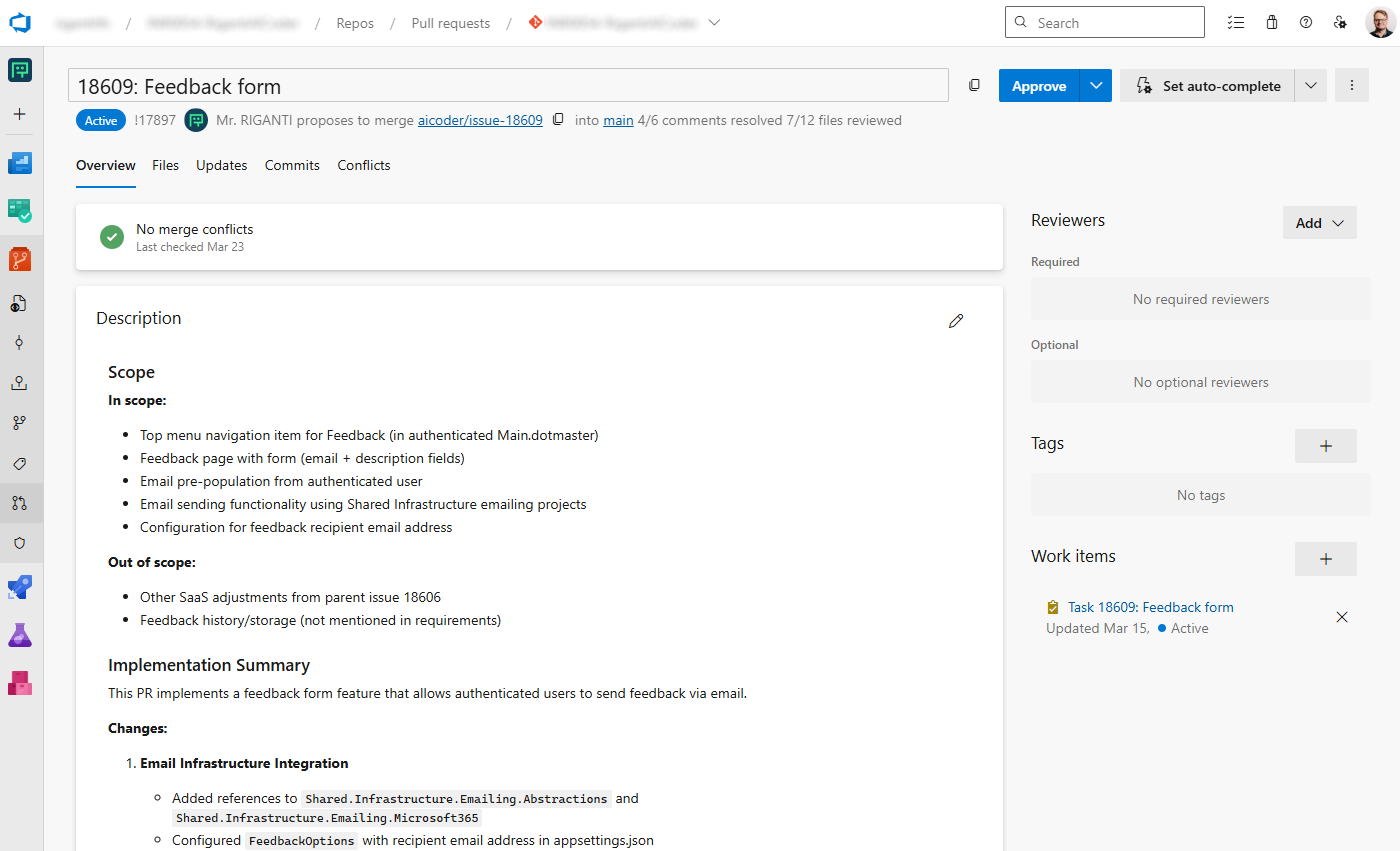
He will start a new draft pull request and work on the implementation. You can easily navigate to the pull request by clicking on it in work item links.
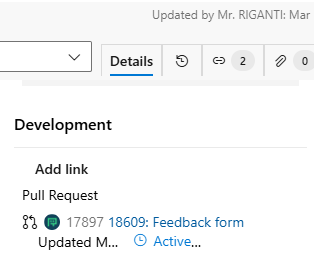
The pull request title and description summarizes the changes implemented, and once Mr. RIGANTI finishes his work, he will mark the pull request as ready for review and update the comment in the work item to indicate the work is completed.
Mention in Pull Request Comments
Although Mr. RIGANTI tries to understand the code base, follow the conventions and best practices, it is likely you will want to make some changes.
To ask him to change something, just mention him in a comment and describe what you want him to do. He will start a new pipeline, make the changes you requested, and push them to the pull request.
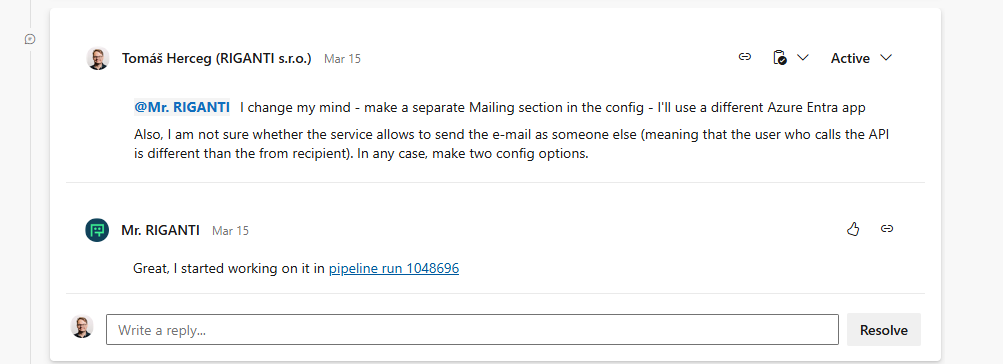
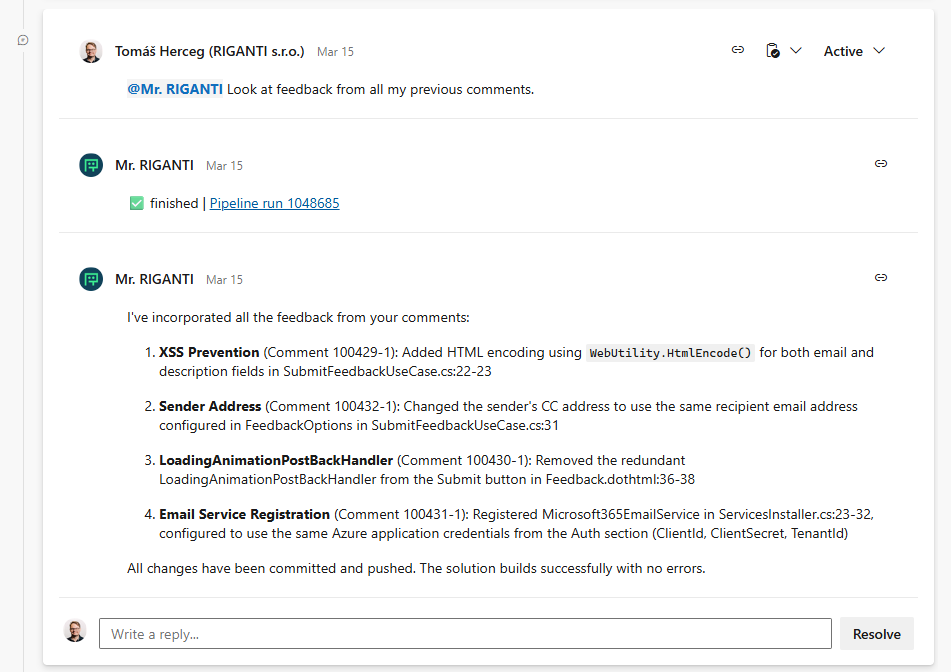
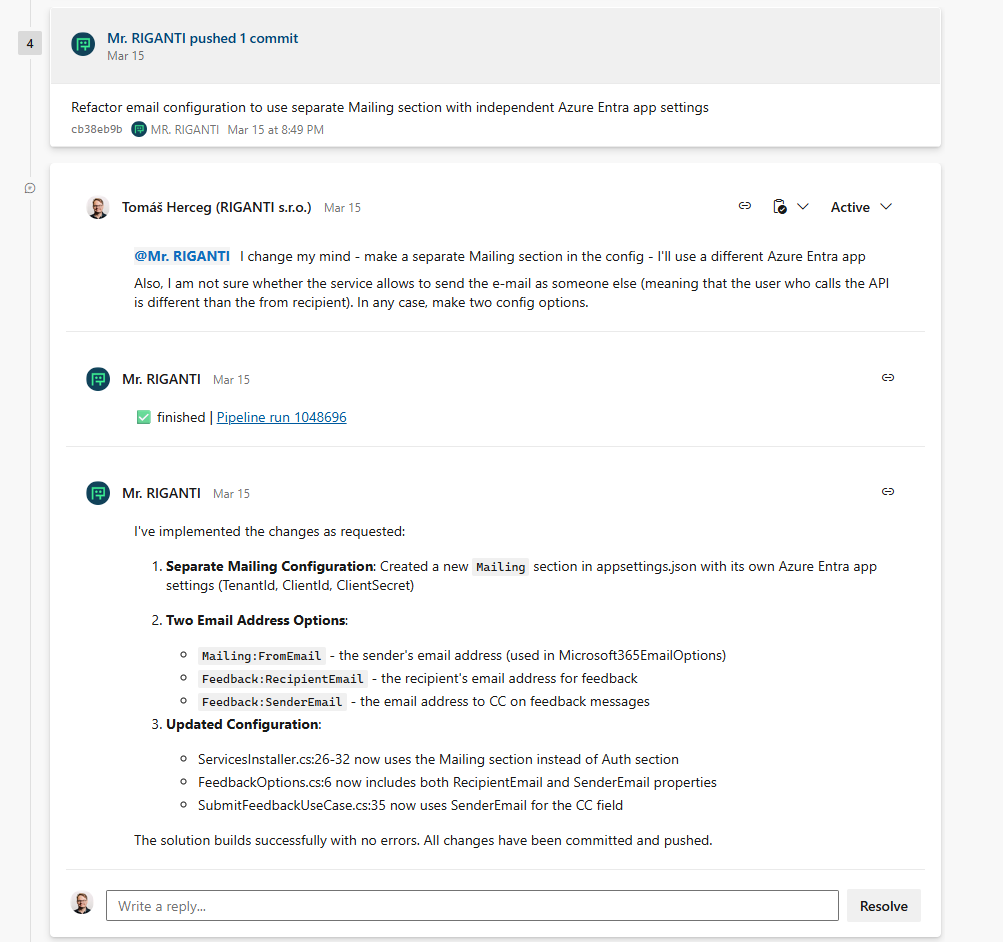
After a couple of minutes, Mr. RIGANTI will finish the changes and make a new push to the current pull request. He will edit his comment to indicate the work is done, and post an additional summary of his changes.
Be careful when using mentions - each of them triggers a separate pipeline run.
If you want Mr. RIGANTI to address multiple changes at once, post multiple comments without mentioning him, and then mention him in a single comment asking to address all the changes together.