Documentation
Purchase a Plan
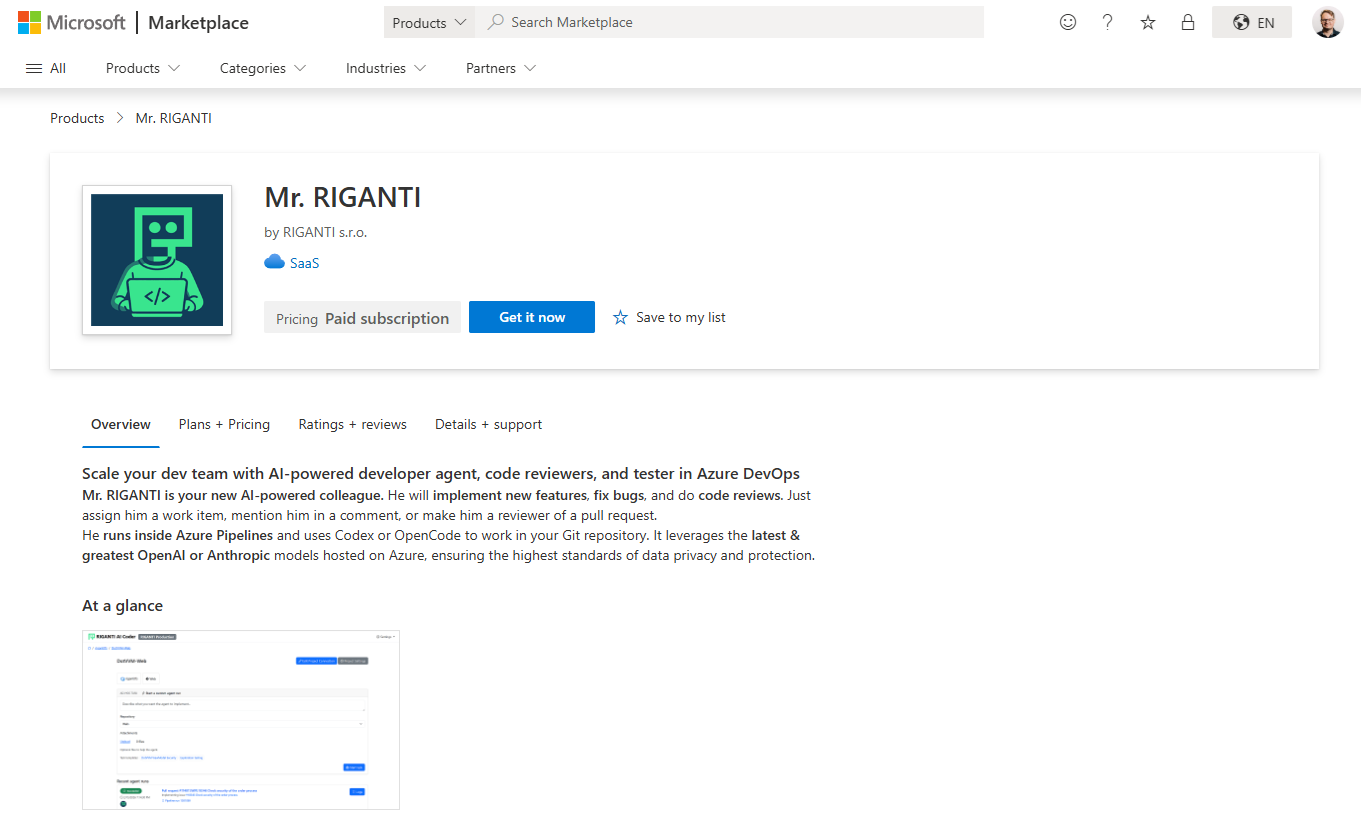
The service is purchased through Microsoft Marketplace. You can choose a plan (based on how many Azure DevOps projects you want to onboard) and the billing frequency (monthly or yearly).
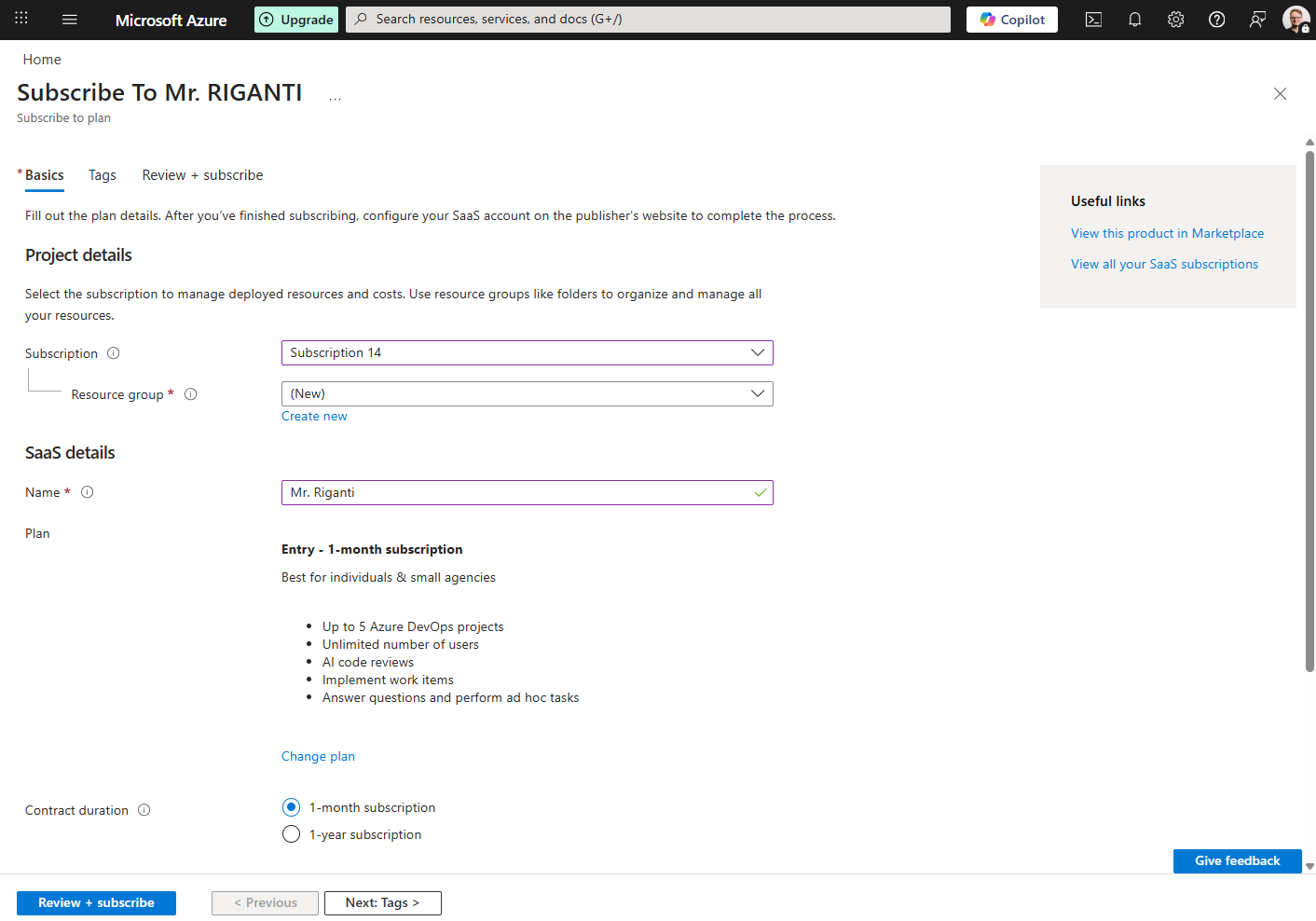
After confirming the purchase, you will be redirected to the Azure Portal to configure the offer. You can select the Azure Subscription and resource group in which you want Mr. RIGANTI subscription will be billed.
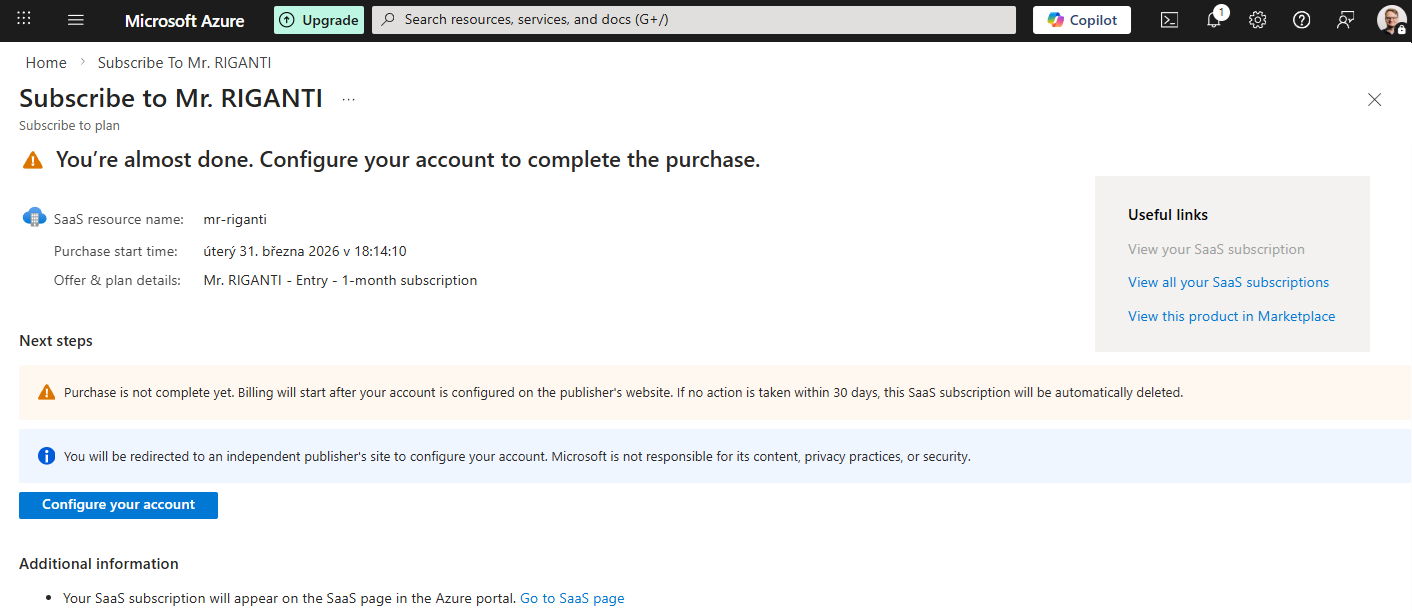
Once you confirm the subscription purchase, you will get to a page with Configure your account button. Click on it to start the onboarding process.
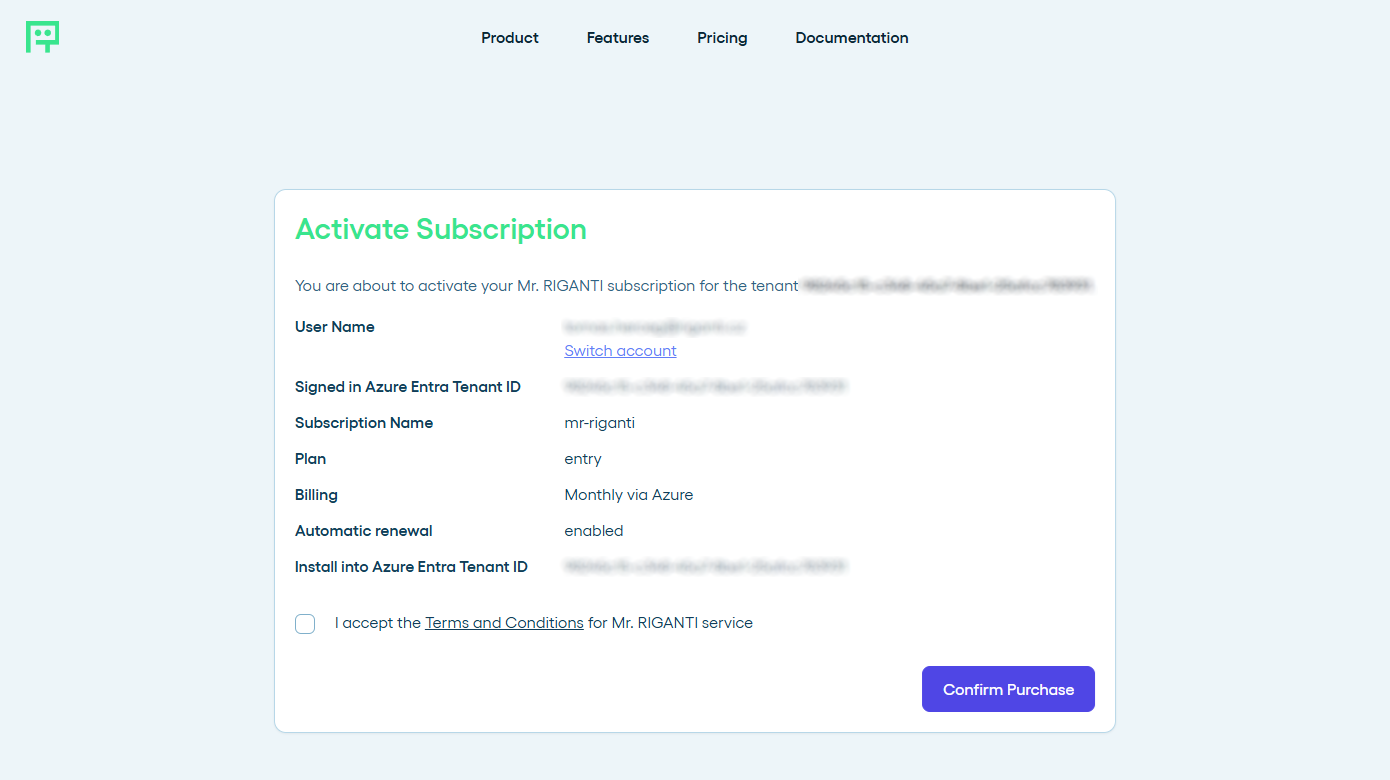
You will be taken at Mr. RIGANTI onboarding page, where you can sign in. Make sure you use the same Azure Entra directory in which you configured the subscription!